How can we help?
We're here to help you get started and find your way around the app.
About the app

What is EpiHem?
EpiHem is a household app that combines shopping lists, meal planning, receipt scanning, a shared calendar, projects and household finances in one place. Everything syncs in real time between members.
Who is the app for?
EpiHem works for many kinds of households: families, couples, shared homes and friends who share daily life and money. Separated parents with shared custody or alternating residence can coordinate around shared children without needing to live under the same roof. And if you live alone, the app is just as useful for keeping track of your own routines, finances and planning.
Is EpiHem a family organizer?
Yes. For a family, EpiHem works as a complete family organizer: shared calendar, shared lists, meal planning and household finances in one app. But the app does not assume a family: couples, shared homes and separated co-parents get the same features.
Which platforms are supported?
EpiHem is on the App Store and Google Play, and can also be used in the browser at app.epihem.com.
How does EpiHem differ from Cozi, Splitwise or Bring?
EpiHem replaces all three. Instead of juggling Cozi for the calendar, Splitwise for expenses and Bring for lists, you get one app where everything connects. The receipt links to the project, the project shows up in the calendar, the list is shared with the household. And no ads. Ever.
Can I suggest new features?
Absolutely. That is how we keep building. Send your ideas to support@epihem.com, we read everything and prioritize based on what helps the most households.
The household and invitations

How do I create a household?
Open the app and sign in with Google or Apple. You will be guided through creating your first household automatically.
How do I invite members?
Go to Household and tap Invite. You get a QR code or an invite code (12 characters) that the person scans or types into the app. As owner you approve the request, and they are in.
How many can be in one household?
The free version supports up to 4 members per household. Premium raises that cap to 8 members. You can be in up to 5 households, handy for a partner, a second home or a group of friends.
What is the difference between roles?
The Owner invites, approves and removes members. Members can add and change content in the household. Readers can see everything but cannot change anything. You decide who gets which role.
Can I be in multiple households?
Yes, you can be in up to 5 households in total, and you can create households of your own whether or not you have Premium. A Premium subscription covers one whole household. If you have two households, such as a second home, Premium Flex covers both. Switch between them directly in the app, all data stays separate per household.
Lists
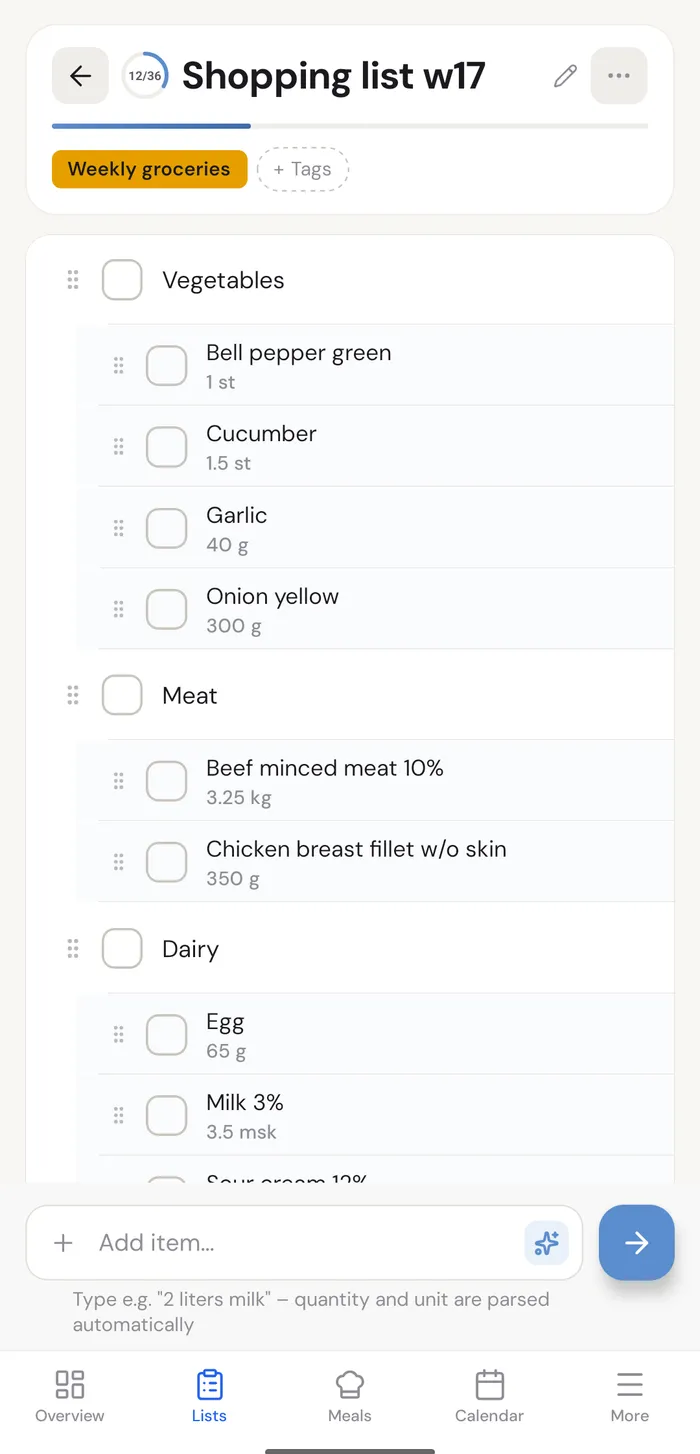
Can I have lists only I can see?
Yes. Alongside the household's shared lists you can keep personal lists under My Lists. Only you see them.
Does everything sync in real time?
Yes. Anything one member changes shows up immediately for everyone else: lists are ticked off, calendar events appear, receipts update. Push notifications keep everyone informed without the app needing to be open.
Does the app work offline?
EpiHem is built to stay connected. Recently loaded data may stay visible briefly if the network drops, but new lists, receipt scanning, AI imports and real-time sync all need an internet connection. As soon as you are back online, everything is up to date.
The calendar

Can I see the calendar in Google, Outlook or Apple Calendar?
Yes. The household owner shares the calendar with Google Calendar, Apple Calendar or Outlook from the Household page, so everything shows up in one view.
How do I change a recurring event?
Change it as usual and the app asks what you mean: only this one, this one and every future one, or the whole series. Choose only this one and the rest of the series is untouched.
Can the calendar remind us?
Yes. Pick a time under Reminder, for example 30 minutes or a day before, and the members the event is for get a notification on their phones. The event needs at least one member under Who, or no reminder is sent.
Meals and recipes
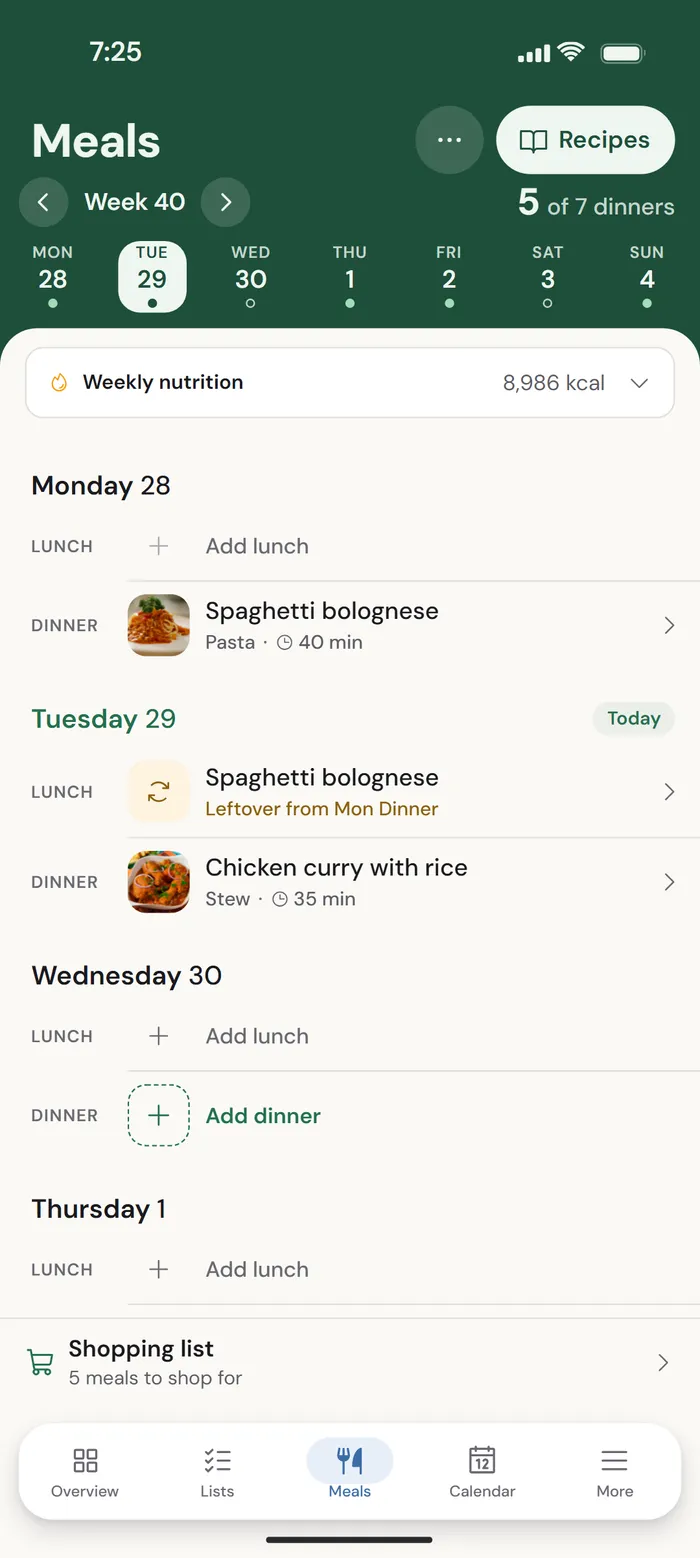
How do I plan weekly meals?
Go to Meals and open the weekly planner. Tap a day to add recipes. You can then drag recipes between days to move them.
How do I import a recipe from a link?
Paste a recipe URL, paste text from a cookbook or photograph a page. AI structures the recipe with ingredients and instructions. You can edit anything afterwards.
Receipts and costs

How does receipt scanning work?
Snap the receipt, and amounts, store and items are read automatically. For tricky or long receipts (the folded grocery kind) you can take multiple photos and let AI enhance the read. Then the expense is split per your rules.
How do we split costs?
Log expenses under Receipts or Projects. EpiHem automatically calculates who owes whom and suggests settlements.
Premium and your account
What is included in the free version?
The free version covers shared lists, a shared calendar, household management with invite codes, labels and real-time sync for up to 4 members. Everything essential to get started.
Do I need a credit card for the trial?
No. You start the trial directly in the app without entering card details. If you want to keep Premium after 14 days, you start a subscription through Google Play, the App Store or directly in the web app.
What happens after the trial?
After 14 days you automatically return to the free version. Nothing renews behind your back. All your data stays: lists, receipts, projects and calendar. You can start a subscription any time to get the Premium features back.
How do I cancel?
Cancel where you started the subscription: in Google Play, the App Store or under Settings in the web app. No commitment. You keep access for the rest of the billing period and then drop back to the free version. All your data stays (recipes, receipts, projects and calendar). You can still view what you have already created, but new receipt scans, recipes and projects need Premium again.
How do I export or delete my account?
You can export your data directly from the app settings. To delete your account, go to Settings and choose "Delete my account". Personal data is deleted within 14 days. Premium subscription billing records (payments, invoices) may need to be retained for up to 7 years under Swedish bookkeeping law, but are limited to the minimum the law requires.
Can I export my data?
Yes. Go to Settings and choose Export data. You receive a file with your household data that you can take with you. The household owner can also share the calendar with Google Calendar, Apple Calendar or Outlook from the Household page.
Security and privacy
Where is my data stored?
Your household data (lists, calendar, receipts, recipes, meals and projects) is stored on Microsoft Azure servers in Sweden, in the Sweden Central region. It is encrypted both in transit and at rest, including backups. Account details are also processed by the providers we use for sign-in, push notifications and subscriptions, and some of them may process data outside the EU. Who they are and what they receive is set out in our privacy policy.
Do I own my data?
Yes. You own all the data you create in EpiHem: recipes, receipts, lists, calendar entries and any other content. We store it so you can use the Service, but make no ownership claims on it. You can export or delete your data anytime.
Who has access to my data?
You and your household. What you save in EpiHem is visible to you and to the household members you have invited. Nothing is shared between households.
Not other users. Other households can never see or search your data. The isolation is enforced at multiple independent layers.
We don't read it. No one on the EpiHem team looks at your data in our day-to-day work. If you ask for help in a support case, the person helping you may temporarily need to see what the case concerns, nothing more.
How do you protect my account?
Sign-in is handled via Apple or Google. We never store any passwords ourselves.
Security is ongoing work: we review code and infrastructure regularly, apply security updates without delay, and continuously train ourselves on security and data protection.
Do you use AI?
Yes, for receipt scanning (OCR), AI recipe import and recipes created from a description. The AI services run in Microsoft Azure within the EU. Our AI providers do not use your data to train their models.
Do you sell my data?
No. We never sell your data and we never will. We do not share your data with third parties for marketing. EpiHem is funded entirely by subscriptions: no ads and no marketing tracking. Beyond that we share only with the data processors needed to run the service, such as hosting, sign-in, notifications and subscription handling. All of them are listed in our privacy policy.
Are you GDPR compliant?
Yes. EpiHem fully complies with GDPR. You have the right to access, correct, export, delete, and object to the processing of your personal data. We only process the data needed for the service to work. The data controller is Epidot Solutions AB. Privacy questions can be sent to privacy@epihem.com.